

You can efile your California Statement of Information on the Secretary of State's bizfile Online portal, and you will need the entity number, current addresses, and officer or manager names on hand. As of the new rule, you also need approved User Access before the system will let you submit. Gather a payment method, confirm the form matches your entity type, and check your status on Business Search first.
TL;DR:
- You need active User Access approved on the portal before submitting the Statement of Information, which can take time to process.
- LLCs must file annually based on their formation anniversary, while corporations typically file every two years, depending on their registration date.
- Confirm your entity status as active on Business Search before filing, since suspended or forfeited entities cannot file online until restored.
- A missing or incorrect entity number, outdated addresses, or mismatched officer names are common reasons for filing rejection.
- File updates for address or officer changes promptly through the Statement of Information to avoid missed notices or legal issues.
Table of Contents
- Who must file and which form applies to your entity
- Step by step: efiling through bizfile Online
- Deadlines, filing windows, and what counts as on time
- Fees, processing times, and why filings get rejected
- How to find and verify a filed Statement of Information
- Updates that belong on a Statement of Information
- Common mistakes and a practical compliance workflow
- How filings and ongoing compliance services are handled
- FAQ
- Sources
Who must file and which form applies to your entity
Every California LLC, corporation, and most other registered entities must file a Statement of Information with the Secretary of State, but the form and the schedule differ by entity type. LLCs file Form LLC-12, which lays out the required fields and filing frequency in detail according to the official Form LLC-12 instructions. Corporations use a separate Statement of Information form and generally file on a different cycle than LLCs.
The filing window is tied to your original formation or registration date with the state, not the calendar year. That date sets a recurring statutory deadline you need to track every cycle.
- LLCs file every year, within a filing window tied to the anniversary month of formation.
- Corporations typically file every two years, though the exact cycle depends on entity type and registration date.
- The due form depends on entity type: Form LLC-12 for LLCs, a separate Statement of Information form for corporations.
Step by step: efiling through bizfile Online
Before you open bizfile Online, do a quick prep pass. Pull your entity number from a prior filing or formation document, confirm your status is active on Business Search, and write down your current business address, agent for service, and officer or manager names. Have a card or bank account ready for payment.
One detail trips people up more than any other: bizfile Online now requires User Access before you can submit a Statement of Information. This access ties your filing to an authorized user on record, which the Secretary of State put in place specifically to stop unauthorized changes to legal entity records. If you have not requested access yet, do that first, since it can take time to process before you are cleared to file.
- Log into bizfile Online and locate your entity record using your entity number or business name.
- Confirm your User Access is active, or submit a request if it is not.
- Start a new Statement of Information filing from your entity's dashboard.
- Complete every required field: addresses, agent for service, and officer or manager details.
- Review the form for accuracy, then submit payment.
- Save your confirmation page and the emailed receipt for your records.
Pro Tip: Screenshot your confirmation page immediately. If the portal times out or your email confirmation lands in spam, you still have proof of the submission attempt and timestamp.
Once submitted, the Secretary of State processes the filing and updates your entity's record, at which point you can order a certified copy if you need one for a bank, lender, or licensing agency. If you want a deeper walkthrough of the form fields, Legal Stepz's guide to the California Statement of Information covers it section by section.
Deadlines, filing windows, and what counts as on time
Your first Statement of Information is due shortly after you register with the state, and the exact deadline depends on your entity type and formation date. After that, LLCs file annually and most corporations file every two years, with your specific anniversary month determining the open window each cycle.
- A filing window applies based on your anniversary month to find when the window opens.
- Missing the window can trigger penalties and, in persistent cases, suspension or forfeiture of your entity.
- A suspended or forfeited entity generally cannot file online until its status is restored.
- Business Search is the fastest way to confirm your current status before you start a filing.
For a broader view of how this interacts with annual reporting obligations, see Legal Stepz's annual report filing guide.
Fees, processing times, and why filings get rejected
Current filing fees and accepted payment methods are listed directly on the Secretary of State's bizfile Online pages, and you should confirm them there before you file since fees can change. A submission receipt is not the same as an effective filing date. The state still has to process your record, and that processing date is what counts for compliance purposes.
Several conditions can cause a rejected filing, according to the Form LLC-12 instructions, which note that an entity must be in active status to file online, not suspended or forfeited.
- A missing or incorrect entity number is one of the most common causes of rejection.
- A suspended or forfeited entity status will block online filing until it is resolved.
- Incomplete or inconsistent fields, like a mismatched agent name, can stall processing.
- Filing without active User Access will prevent submission entirely under the new rule.
Check Business Search for your status and double-check every field against your last filed Statement before you submit.
How to find and verify a filed Statement of Information
The Secretary of State's Business Search tool lets you look up any registered entity, confirm its current status, and view documents it has filed, including past Statements of Information.
- Go to Business Search and look up your entity by name or entity number.
- Open the filing history to view a free copy of your most recent Statement of Information.
- Order a certified copy through the same portal if you need one for a bank or licensing purpose, which carries its own fee.
- Check the listed filing date against your submission receipt to confirm the state has processed your record as effective.
Updates that belong on a Statement of Information
A Statement of Information is also how you update core details between required filing cycles. You can use it to change your principal address, mailing address, agent for service, or the names of officers and managers whenever this change.
- Principal and mailing address changes both belong on a Statement of Information.
- A change of agent for service should be reflected here as soon as it happens, not held until the next cycle.
- Officer or manager changes get updated the same way.
Pro Tip: File an updated Statement of Information as soon as your registered agent changes rather than waiting for your next scheduled deadline. An outdated agent address can mean missed legal notices. For common pitfalls, see Legal Stepz's piece on registered agent change mistakes.
Common mistakes and a practical compliance workflow

The most frequent mistake is not requesting User Access early enough, which stalls a filing right when a deadline is close. A close second is filing with outdated addresses or officer names because nobody checked the record before submitting. Skipping a status check on Business Search is a third, since a suspended entity cannot file at all.
A simple workflow avoids most of this: verify status, request access, gather current details, file, then archive your confirmation. Businesses that rely on a registered agent or a standing compliance arrangement tend to catch these issues before they become missed deadlines.
— Peter
How filings and ongoing compliance services are handled
Filing correctly the first time matters more than filing fast, and that is where a done-for-you option saves real time. There are services that handle the Statement of Information filing, keep your registered agent service current, and prepare the annual minutes and bylaws many owners forget until a lender or investor asks for them.
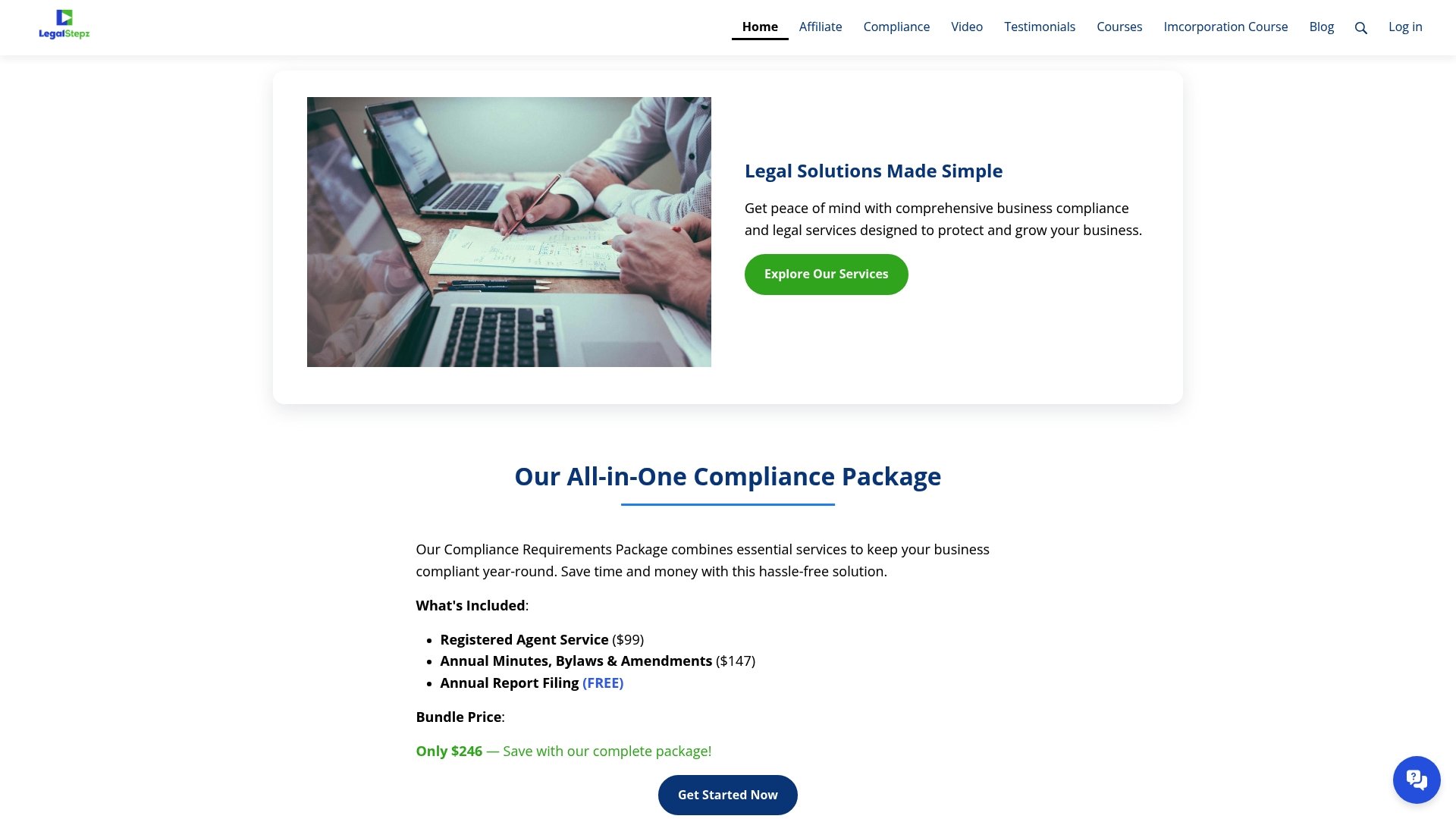
- Services such as Registered Agent Service keep your address current and reduce missed notices.
- Annual Minutes, Bylaws and Changes Throughout the Year help keep your corporate records audit ready.
- A compliance package can help reduce the number of deadlines you need to track yourself.
If you would rather learn the process and file it yourself, the Limited Liability Company Course walks through formation and compliance basics. For ongoing filing support, visit the Legal Stepz compliance page to see current services.
This article is general information, not a substitute for advice from a qualified lawyer. Consult a qualified legal professional about your own circumstances before acting on anything here.
FAQ
Can I file my Statement of Information online?
Yes, California entities file their Statement of Information through the Secretary of State's bizfile Online portal. You will need an active entity status and, under the current rule, approved User Access before the system allows submission.
Do I have to file a Statement of Information every year?
It depends on your entity type. LLCs file annually, while most corporations file every two years, with the exact window tied to your original formation date.
How do I find my Statement of Information?
Use the Secretary of State's Business Search tool to look up your entity by name or entity number. From there you can view a free copy of your most recent filing or order a certified copy if you need one.
How do I file a Statement of Information with the California Secretary of State?
Log into bizfile Online, confirm your User Access is active, and locate your entity record. Complete the required fields on Form LLC-12 or the corporate equivalent, review it, pay the fee, and submit.
Sources
The Form LLC-12 instructions linked above detail required fields, filing frequency, and status requirements directly from official guidance. The Secretary of State's bizfile Online portal and Business Search tool remain the primary places to file and verify any California entity's standing. For readers in adjacent situations, a curated list of California dealer forms covers sector-specific filings, and owners forming an unincorporated association rather than a standard LLC or corporation can find relevant guidance through attorney-backed association formation resources. Legal Stepz's own California Statement of Information guide and LLC formation walkthrough offer further reading for readers building out a full compliance picture.
- Statement of Information (Form LLC-12) | Instructions for ...